





Description
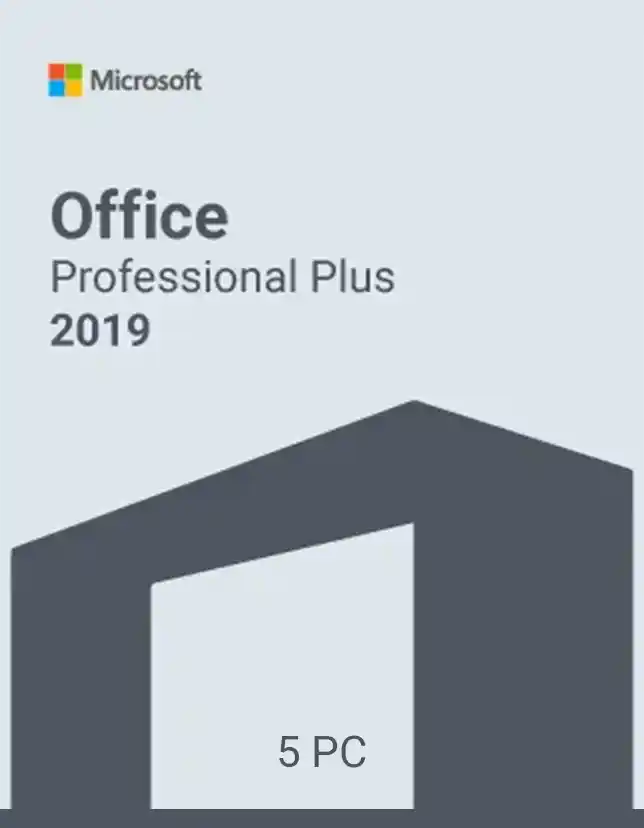
Get serious work done with Microsoft Office 2019 Professional Plus for 5 PCs—a powerful, reliable Office suite built for people who want classic desktop apps without ongoing subscription fees. Whether you’re managing a business, studying, or running a busy home office, this edition gives you the tools to write, analyze, present, and organize with confidence. Moreover, it’s designed for productivity on Windows PCs, so you can work faster and stay in control of your files.
Why You Need Microsoft Office 2019 Professional Plus
If you prefer a one-time purchase and want full-featured desktop apps, Microsoft Office 2019 Professional Plus is a smart choice. It’s ideal when you need dependable performance, offline access, and familiar Office programs that many teams and workplaces still rely on. Therefore, you spend less time switching tools and more time finishing tasks cleanly, accurately, and on schedule.
Key Features & Benefits of Microsoft Office 2019 Professional Plus
- Install on up to 5 PCs
- Classic Office apps: Word, Excel, PowerPoint, Outlook
- Professional tools included: Publisher and Access
- One-time license
- Works offline after installation
- Better productivity with modern features like improved inking and data analysis tools
- Compatible file formats for smooth sharing with other Office users
- Ideal for business documents, spreadsheets, presentations, and email management
Supported Editions / Versions
This product is Microsoft Office 2019 Professional Plus, typically including:
- Microsoft Word 2019
- Microsoft Excel 2019
- Microsoft PowerPoint 2019
- Microsoft Outlook 2019
- Microsoft Publisher 2019
- Microsoft Access 2019
How to Download
After purchase, you’ll receive instructions to download Microsoft Office 2019 Professional Plus safely. You can use the provided official download link and follow the guided setup to get started quickly.
Installation Steps
- Sign in to your Microsoft account.
- Download the Office 2019 setup file using the link provided after purchase.
- Run the installer and grant the necessary permissions when prompted.
- Choose your installation options and wait for the process to complete.
- Open any Office app (like Word) to begin activation.
System Requirements:
Minimum System Requirements
- OS: Windows 10 / Windows 11
- CPU: 1.6 GHz or faster, 2-core
- RAM: 4 GB (64-bit) / 2 GB (32-bit)
- Storage: 4 GB available disk space
- Display: 1280 × 768 or higher
- Internet: Required for download and activation
Recommended System Requirements
- OS: Windows 10/11
- CPU: 2.0 GHz+ multi-core
- RAM: 8 GB+
- Storage: SSD with 10 GB free space
- Display: 1920 × 1080 for the best experience
Compatibility & Hardware Support
Microsoft Office 2019 Professional Plus is built for Windows PCs and supports modern hardware. However, performance improves on SSDs and with more RAM. It’s ideal for laptops and desktops used for business, school, accounting, and everyday productivity.
How to Buy
Buying from cdkeydeals.com is simple and secure. You place your order, receive your digital key fast, and follow clear instructions for download and activation. Moreover, it’s a convenient option if you want quick delivery, a smooth checkout process, and straightforward steps to get Office running.
Payment Methods:
- PayPal
- Credit/Debit Cards
- Google Pay
- Amazon Pay
- Alipay
- Afterpay
- Klarna
- Bank Transfer
- Cryptocurrency
Delivery Method:
- Instant delivery via Thank You page
- Instant delivery via Email
Activation Process:
- License Type: Digital Key
Step-by-step activation guide
- Open Word.
- Click Activate when prompted.
- Sign in with your Microsoft account.
- Enter the digital key provided with your order.
- Confirm and finish activation.
- Restart the app to ensure everything is fully enabled.
Security & Updates Information
Office 2019 receives stability and security updates. Keep Windows Update enabled and install Office updates when available. This helps protect your documents and keeps performance smooth over time.
Frequently Asked Questions
Q1: Is Microsoft Office 2019 Professional Plus a subscription?
No. It’s a one-time purchase license, not a monthly plan.
No. It’s a one-time purchase license, not a monthly plan.
Q2: How many devices can I use this on?
This package is for up to 5 PCs, as stated in the product name.
This package is for up to 5 PCs, as stated in the product name.
Q3: Does it include Outlook, Access, and Publisher?
Yes, Professional Plus typically includes Outlook, Access, and Publisher.
Yes, Professional Plus typically includes Outlook, Access, and Publisher.
Q4: Can I use it without the internet?
Yes. The Internet is needed for download and activation, but you can use the apps offline afterward.
Yes. The Internet is needed for download and activation, but you can use the apps offline afterward.
Q5: Will it work on macOS?
No. This edition is intended for Windows PCs.
No. This edition is intended for Windows PCs.
Q6: Is this good for business use?
Yes. It’s designed for professional workflows, including email, databases, and publishing.
Yes. It’s designed for professional workflows, including email, databases, and publishing.
Q7: How fast will I receive my key?
Delivery is instant via the Thank You page and also sent by email.
Delivery is instant via the Thank You page and also sent by email.
Q8: What if I need help with installation or activation?
Follow the provided guide. If you get stuck, contact support with your order details.
Follow the provided guide. If you get stuck, contact support with your order details.