





Description
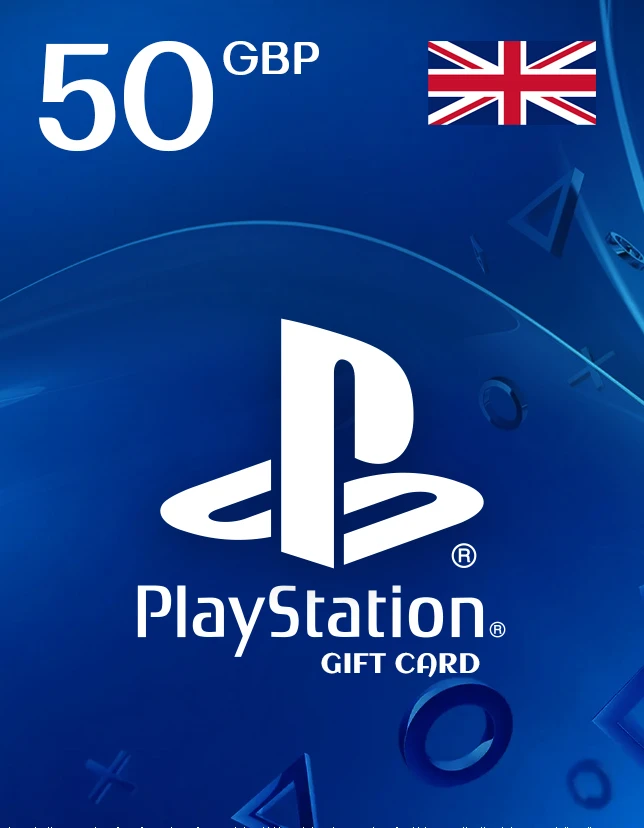
The PlayStation Gift Card 50 GBP – UNITED KINGDOM is a fast, secure way to add £50 credit to your UK PlayStation Network wallet. With this digital code, you can shop directly on the PlayStation Store for full games, DLC, add-ons, in-game currency, themes, movies, and subscriptions (where available). If you want a simple checkout without linking a card to your console, this is the ideal solution.
This PlayStation Gift Card is designed for UK accounts and is redeemed online in seconds. It’s perfect for gifting, topping up your wallet during sales, or managing spending with a fixed amount of store credit.
Key Benefits of PlayStation Gift Card
- Instant wallet top-up: Add £50 credit to your UK PSN account quickly.
- Safe gifting option: Great for birthdays, holidays, or last-minute surprises.
- Flexible spending: Use credit on games, DLC, and other PlayStation Store content.
- No bank card required on console: Keep payments separate and controlled.
Best Features of PlayStation Gift Card
- Digital Key (License Type): Delivered as a redeemable code.
- Fast delivery: Shown on the thank-you page and sent by email.
- Works across PlayStation platforms: Use on PS5, PS4, or web store (UK region).
- Budget-friendly control: Spend only what’s in your wallet.
What’s New in PlayStation Gift Card 50 GBP – UNITED KINGDOM
This 50 GBP UK value remains one of the most popular wallet top-ups because it matches common game price points and frequent PlayStation Store sale bundles. It’s a reliable way to buy new releases, seasonal discounts, and add-on content using a single PlayStation Gift Card.
Why You Need It
If you want instant access to PlayStation Store content without entering card details, this card is the easiest option. A PlayStation Gift Card also makes gifting simple- no need to guess which game someone wants.
- How the Value is Supported (Supported Editions/Region)
- Region: UNITED KINGDOM (UK PSN accounts only)
- Store: PlayStation Store (UK)
- Use cases: Games, DLC, in-game currency, subscriptions, and more (subject to PS Store rules)
How to Download
No download is required for the card itself. After purchase, you receive a digital code that you redeem on the PlayStation Store to add funds.
Installation Steps (Redeem / Activate)
- Sign in to your PlayStation account (UK).
- Open PlayStation Store.
- Select Redeem Codes.
- Enter the 12-digit code and confirm.
- Funds will be added to your wallet instantly.
- System Requirements
- Minimum System Requirements
- UK PlayStation Network account
- Internet connection
- Access to PlayStation Store (console or web)
Recommended System Requirements
- PS5 or PS4 with the latest system software
- Stable broadband connection for purchases/downloads
Compatibility & Hardware Support
- Compatible with PS5, PS4, and PlayStation Store via browser/app
- Must match the UK region account
How to Buy (cdkeydeals.com)
- Visit cdkeydeals.com and search for the product.
- Add to cart and proceed to checkout.
- Complete payment and receive your code instantly.
Payment Methods
Pay securely using: PayPal, all major credit/debit cards, Google Pay, Amazon Pay, Alipay, Afterpay, Klarna, bank transfer, and cryptocurrency.
How to Get Delivery
- Live delivery on the thank-you page after checkout
- Instant delivery by email (digital code)
Activation Process
Redeem the code in the PlayStation Store (UK) using the steps above.
Security & Updates
- Delivered as a Digital Key; no physical shipment required
- Keep your code private and redeem only on an official PlayStation Store login
- No updates needed for the card; store policies apply after redemption
Frequently Asked Questions (FAQ)
1) Can I use this PlayStation Gift Card outside the UK?
No. It requires a UK PlayStation Network account and UK store region.
2) Does the wallet balance expire?
Typically, wallet funds don’t expire, but always follow PlayStation’s current PSN terms for your region.
3) Can I buy PlayStation Plus with this credit?
In most cases, yes, if PlayStation Plus subscriptions are available for wallet purchase in the UK store at the time.
4) How fast will I receive the code?
You’ll get instant delivery on the thank-you page and an email copy for backup.
5) What should I do if my code doesn’t work?
Double-check region/account, re-enter the code carefully, and contact the seller’s support with your order details if needed.