





Description
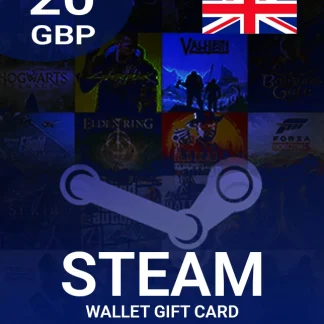
The Steam Wallet Gift Card 20 GBP Key – UNITED KINGDOM is a fast and secure way to add £20 credit to your Steam Wallet. Use it to buy games, DLC, in-game items, software, and more on the Steam Store. This digital code is ideal if you want quick access to Steam funds without linking a bank card to your account—or if you’re gifting a Steam top-up to someone in the UK.
With the Steam Wallet Gift Card, you can manage your spending, grab limited-time deals, and keep your account funded for upcoming releases.
Key Benefits
- Instant Steam Wallet top-up with a £20 value
- Perfect for gifts (no need to share payment details)
- Budget-friendly way to control game spending
- Works across Steam Store purchases once redeemed to your wallet
- Safe alternative to entering card details on multiple purchases
Best Features
- Region: United Kingdom (GBP)
- License Type: Digital Key
- Redeemable on the official Steam platform
- Spend on games, add-ons, subscriptions, and in-game content
- Supports seasonal sales and special Steam promotions
What’s New in Steam Wallet Gift Card 20 GBP Key – UNITED KINGDOM
This listing focuses on fast digital fulfillment and secure purchasing through multiple payment methods, making it easier than ever to buy and redeem a Steam Wallet Gift Card in minutes.
Why You Need It
If you shop on Steam often, the Steam Wallet Gift Card keeps your wallet ready for discounts, pre-orders, and new releases. It’s also a smart option for parents and gift buyers who prefer controlled spending and quick delivery.
How the Value Works
After redemption, £20 GBP is added directly to your Steam Wallet balance. You can combine it with other wallet funds or payment methods if needed.
Supported Editions
- Steam Wallet balance (GBP) for UK accounts / UK region
- Note: Region restrictions may apply—ensure your Steam account is set to the UK.
How to Download
- Purchase the key from cdkeydeals.com.
- Receive the code via Thank You page live delivery and instant email delivery.
- Redeem on Steam (steps below).
Installation Steps (Redeeming on Steam)
- Open the Steam client or visit the Steam website and sign in.
- Go to Account Details / Redeem a Steam Gift Card or Wallet Code.
- Enter your Steam Wallet Gift Card code.
- Confirm to add £20 to your wallet.
System Requirements
- Minimum System Requirements
- Steam account
- Internet connection
- Device capable of running Steam (PC, Mac, or supported browser)
Recommended System Requirements
- Updated Steam client
- Stable broadband connection for purchases/downloads
Compatibility & Hardware Support
- Compatible with Windows PC, macOS, and web-based redemption
- Funds usable on any device where you access your Steam account
How to Buy (from cdkeydeals.com)
- Search: Steam Wallet Gift Card 20 GBP Key – UNITED KINGDOM
- Add to cart and proceed to checkout
- Pay using your preferred method
- Receive your digital key instantly
Payment Methods
- PayPal
- All major credit cards/debit cards
- Google Pay, Amazon Pay, Alipay
- Afterpay, Klarna
- Bank transfer
- Cryptocurrency
How to Get Delivery
- Live delivery on the Thank You page after purchase
- Instant delivery via email (check inbox/spam folder)
Activation Process
- Redeem the digital code in Steam to add wallet funds.
- Digital keys are delivered securely
- Keep your Steam account protected with Steam Guard / 2FA
- Wallet funds and purchases follow Steam’s standard security policies
Frequently Asked Questions (FAQ)
1) Is this Steam Wallet Gift Card only for UK accounts?
Yes, it’s a GBP United Kingdom wallet code and may not work on accounts outside the UK region.
2) How fast will I receive the key?
Usually immediately: live on the Thank You page, and is also sent by email.
3) Can I use the £20 for games and DLC?
Yes. After redeeming, the funds can be spent on games, DLC, in-game items, and more on Steam.
4) Do I need a credit card to redeem it?
No. You only need a Steam account to redeem the code.
5) What if my code doesn’t work?
Double-check region/account settings and ensure the code was entered correctly. If it still fails, contact the seller’s support with your order details.