Description
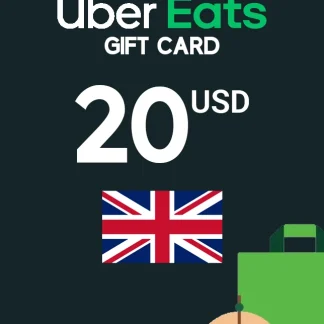
The Uber Eats Gift Card 20 GBP Key – UNITED KINGDOM is a fast and flexible way to pay for meals, groceries, snacks, and more through Uber Eats. Whether you’re treating yourself, sending a practical gift, or topping up your Uber account balance, this digital code is designed for quick redemption and easy use in the UK. With an Uber Eats Gift Card, you can order from thousands of restaurants and participating stores directly in the Uber/Uber Eats app.
Key Benefits
- Instant convenience: No physical card needed—digital code delivery and quick redemption.
- Flexible spending: Use the balance on eligible Uber Eats orders in the UK.
- Great for gifting: Perfect for birthdays, holidays, thank-you gifts, or last-minute surprises.
- Budget-friendly: Helps you manage spending—load credit and order when you want.
Best Features
- 20 GBP value: Ideal for a couple of meals, a group order contribution, or grocery add-ons.
- UK redemption: Built specifically for accounts and purchases in the United Kingdom.
- Fast checkout & delivery: Purchase online and receive the key quickly.
What’s New in Uber Eats Gift Card 20 GBP Key – UNITED KINGDOM
This updated digital format focuses on speed and simplicity—buy online, receive your code instantly, and redeem directly in-app without waiting for shipping. It’s a modern Uber Eats Gift Card experience built for on-demand ordering.
Why you need it / How the value is supported
You need it when you want reliable food credit without subscriptions or long processes. The Uber Eats Gift Card value is supported by Uber’s in-app wallet/balance system: once redeemed, your credit is stored in your account and applied during checkout (subject to Uber’s terms and availability in your area).
Supported Editions
- Region: United Kingdom (UK)
- Format: Digital Key / Code
- Platform: Uber / Uber Eats app balance (not a game platform key)
How to Download
- Install the Uber or Uber Eats app from Google Play or the Apple App Store.
- Sign in or create an account (UK region).
- Installation Steps (Redeem / Activate)
- Open the Uber or Uber Eats app.
- Go to Account / Wallet.
- Select Add funds / Gift card (wording may vary).
- Enter the code you received and confirm.
- Your balance updates and can be used at checkout.
System Requirements
- Minimum System Requirements
- Android smartphone/tablet with access to Google Play or iPhone/iPad with App Store access
- Internet connection
- Uber/Uber Eats account
Recommended System Requirements
- Latest Uber/Uber Eats app version
- Stable Wi‑Fi or 4G/5G connection for smooth ordering and tracking
Compatibility & Hardware Support
- Works on most modern Android and iOS devices
- Redemption and ordering are handled fully inside the app
How to Buy (Check from cdkeydeals.com)
- Visit cdkeydeals.com and search: Uber Eats Gift Card 20 GBP Key – UNITED KINGDOM.
- Add to cart and proceed to checkout.
- Complete payment and receive your digital key.
Payment Methods
PayPal, credit cards/debit cards, Google Pay, Amazon Pay, Alipay, Afterpay, Klarna, bank transfer, and cryptocurrency.
How to Get Delivery
- Live delivery on the Thank You page after purchase
- Instant email delivery with your digital code
Activation Process
- License Type: Digital Key (Gift Card Code)
Security & Updates
- Buy only from trusted sellers and keep your code private.
- Always redeem inside the official Uber/Uber Eats app to ensure account safety.
Frequently Asked Questions (FAQ)
Is this Uber Eats Gift Card code valid in the UK only?
Yes, this key is intended for redemption in the United Kingdom.
Do I need an Uber Eats account to redeem it?
Yes. You must be logged into an Uber/Uber Eats account to add the balance.
How fast will I receive my code?
Typically instantly available on the Thank You page and sent via email.
Can I use the balance for multiple orders?
Yes, the balance can be used until it runs out.
Can I combine it with other payment methods?
In many cases, yes—if your total exceeds your balance, you may pay the remainder using another method (depends on Uber’s checkout rules).
Can I redeem more than one gift card?
Usually, yes; you can add multiple codes to your account balance (subject to Uber limits).
Does the gift card expire?
Expiration depends on Uber’s local terms. Check the Uber gift card terms for the UK.
What if the code doesn’t work?
Double-check region, typos, and account login. If issues persist, contact the seller’s support with proof of purchase.
Can I use it for groceries, too?
If Uber Eats groceries/retail are available in your area, the balance may be eligible (subject to Uber’s terms and participating stores).
Is it a physical card shipped to me?
No, it’s a digital key delivered online.