





Description
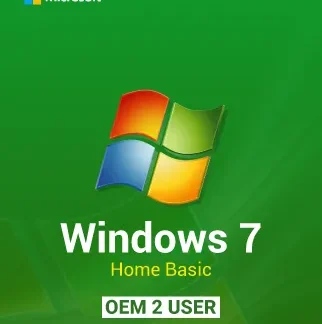
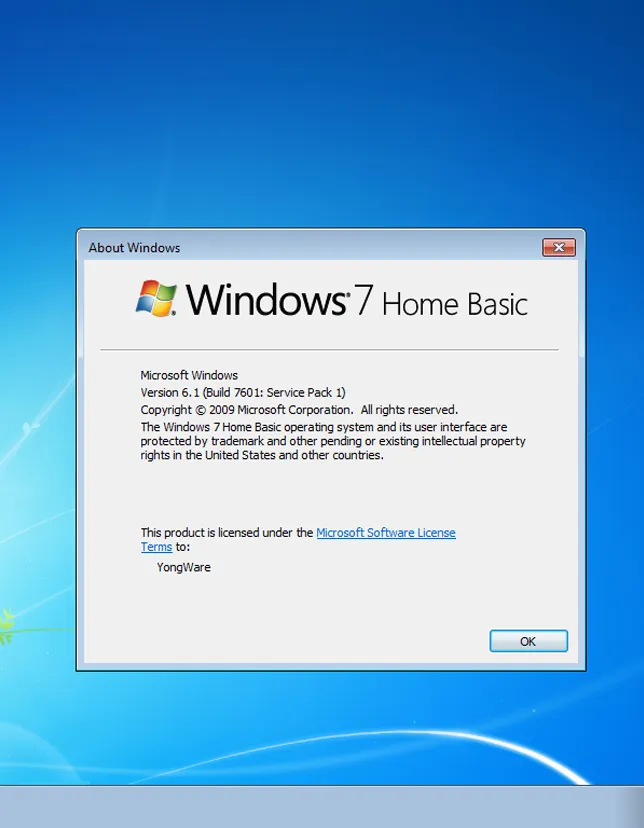
Microsoft Windows 7 Home is still a favorite for people who want a simple, stable, and familiar PC experience. If you need a reliable operating system for everyday tasks like web browsing, office work, or light home use, Microsoft Windows 7 Home Basic OEM 2 user is a practical choice. Moreover, it’s easy to install and quick to set up, so you can get back to work without hassle.
Why You Need Microsoft Windows 7 Home
If you have an older laptop or desktop that struggles with newer systems, Windows 7 Home can help it run more smoothly. It’s also a great option when you need a clean reinstall after replacing a hard drive, fixing system errors, or restoring a PC for daily use. Therefore, you save time, keep things simple, and avoid unnecessary upgrades.
Key Features & Benefits of Microsoft Windows 7 Home
- Fast, lightweight performance on many older PCs
- Clean and familiar interface that’s easy to navigate
- OEM license for installation on compatible hardware
- Optimized for home essentials like browsing, documents, and media
- Stable system behavior with proven Windows 7 reliability
- 2-user OEM option for multi-user needs (as listed)
- Supports common drivers and devices for everyday use
Supported Editions / Versions
This product is designed for:
- Microsoft Windows 7 Home Basic (OEM)
- Works within the Windows 7 Home family use-case (home-focused features and layout)
How to Download
After purchase, you’ll receive access to your product key and download instructions. However, if you already have a Windows 7 installer (USB/DVD/ISO), you can use it with your valid activation key.
Installation Steps (step-by-step)
- Back up your files (documents, photos, browser bookmarks).
- Create a bootable USB or use a DVD with the Windows 7 installer.
- Restart your PC and boot from USB/DVD (change boot order if needed).
- Choose Install Now and accept the license terms.
- Select Custom (Advanced) for a clean install.
- Pick the target drive/partition and continue.
- Let Windows finish installing and restart automatically.
- Enter your product key when prompted (or after installation).
System Requirements:
Minimum System Requirements
- CPU: 1 GHz 32-bit or 64-bit processor
- RAM: 1 GB (32-bit) / 2 GB (64-bit)
- Storage: 16 GB (32-bit) / 20 GB (64-bit) free space
- Graphics: DirectX 9 with WDDM 1.0 driver
- Display: 800×600 or higher
Recommended System Requirements
- CPU: Dual-core 2.0 GHz or better
- RAM: 4 GB+
- Storage: 40 GB+ free space (SSD recommended)
- Graphics: DirectX 10 compatible for smoother visuals
Compatibility & Hardware Support
Microsoft Windows 7 Home works best on PCs designed around the Windows 7 era. It generally supports common hardware like standard Wi‑Fi adapters, printers, and sound devices. Moreover, it’s a solid match for older laptops and office desktops. For best results, check driver availability for your motherboard and network card before installation.
How to Buy (Mention cdkeydeals.com naturally and trust-building tone)
Buying from cdkeydeals.com is simple. You get a clear checkout process, fast delivery, and a digital key you can use right away. Additionally, it’s a convenient way to get Windows 7 Home without delays.
Payment Methods:
- PayPal
- Credit/Debit Cards
- Google Pay
- Amazon Pay
- Alipay
- Afterpay
- Klarna
- Bank Transfer
- Cryptocurrency
Delivery Method:
- Instant delivery via Thank You page
- Instant delivery via Email
Activation Process:
License Type: Digital Key
Step-by-step activation guide
- Click Start → open Control Panel.
- Go to System and Security → System.
- Scroll to Windows activation.
- Select Change product key.
- Enter your digital key and click Next.
- Follow the prompts to complete activation.
Security & Updates Information
Windows 7 has limited official support for updates today. However, it can still be useful in specific situations like offline PCs, legacy software, or older hardware setups. For better protection, use a trusted antivirus, keep drivers updated when possible, and avoid risky downloads. Moreover, consider using a modern browser that still supports your environment.
Frequently Asked Questions
1) Is Microsoft Windows 7 Home Basic OEM 2-user a digital product?
Yes. You receive a digital key, and delivery is typically instant.
2) Can I install Windows 7 Home on a new PC?
It depends on the hardware. Windows 7 may not support newer chipsets without extra drivers.
3) What does OEM mean?
OEM keys are generally intended for installation on a specific machine and may have different transfer rules than retail licenses.
4) Do I need an ISO file to install?
Yes, you need Windows 7 installation media (USB/DVD/ISO). The key is used for activation.
5) Can I upgrade from another Windows version?
In many cases, a clean install is best. Upgrades may work, but results vary.
6) Will Windows 7 Home run faster than Windows 10 on old hardware?
Often, yes—especially on older CPUs with limited RAM. However, performance depends on your exact specs.
7) Is this suitable for gaming?
For older games, yes. For newer titles, driver and DirectX support may be limited.
8) How fast is delivery from cdkeydeals.com?
Usually instant via the Thank You page and also sent by email.