





Description
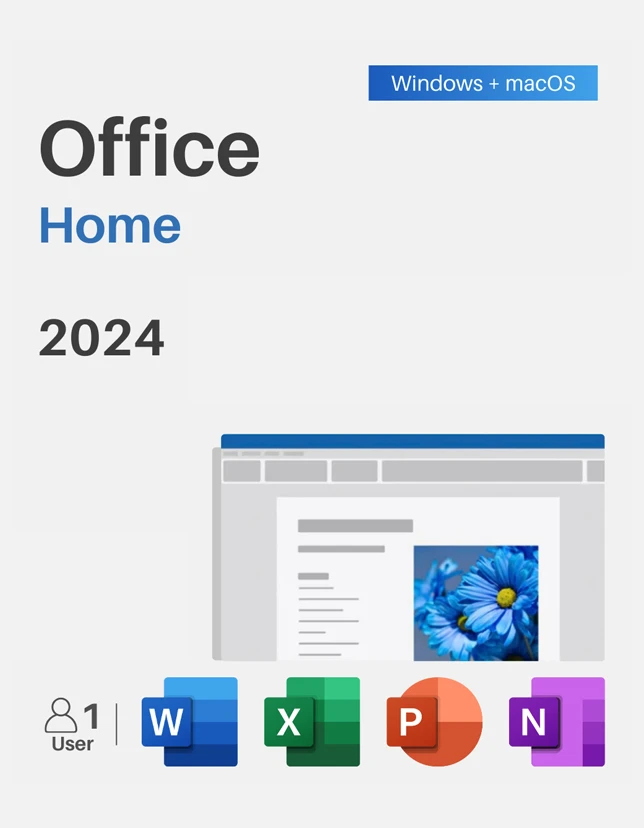
If you want reliable productivity apps without recurring monthly fees, Microsoft Office 2024 Home is built for you. Designed specifically for students, families, and home users running Windows, this classic suite delivers essential desktop tools to complete everyday tasks, school projects, and personal organization with total confidence.
Key Benefits of Microsoft Office 2024 Home
- One-Time Purchase: Pay once and use the software for its lifetime on a single PC without auto-renewing subscriptions.
- Full Desktop Power: Enjoy offline access to full-featured desktop applications whenever you need them.
- Clean & Modern Interface: Seamlessly matches Windows 11 aesthetics for an intuitive workflow.
- Privacy First: Store all your personal documents safely on your local device or your preferred cloud drive.
Best Features of Microsoft Office 2024 Home
- Word 2024: Advanced document creation with dynamic formatting, improved co-authoring tools, and quick recovery features.
- Excel 2024: Faster calculations, dynamic array formulas, and refined charting capabilities for budgeting or data analysis.
- PowerPoint 2024: Enhanced presentation controls, seamless video embeds, and smoother transition effects.
- OneNote 2024: Flexible digital notebook for capturing ideas, handwritten notes, and web clippings in one place.
What’s New in Microsoft Office 2024 Home
- Refreshed Visual Design: Updated ribbon interface with soft neutral tones matching modern Windows aesthetics.
- Dynamic Charting in Excel: Smooth dynamic charts and improved speed when managing large datasets.
- Enhanced Document Recovery: Improved session recovery options prevent data loss if your computer reboots unexpectedly.
- Better Accessibility: Expanded accessibility checker tools ensure your files are easy for everyone to read.
Supported Editions
This product key activates the Home & Student / Home edition for Windows 10 and Windows 11 (1 PC license).
How to Download
- Go to the official setup page at setup.office.com.
- Sign in with your standard Microsoft account (or create a free one).
- Enter your 25-character product key to bind the license to your account.
- Download the 64-bit or 32-bit official installer directly from Microsoft.
Installation Steps
- Double-click the downloaded installation file to launch setup.
- Follow the on-screen prompts while Windows completes the background installation.
- Once complete, open Word or Excel from your Start Menu.
- Sign in with your Microsoft account to finalize setup.
System Requirements
Minimum System Requirements
- OS: Windows 10 or Windows 11
- Processor: 1.6 GHz, 2-core processor
- RAM: 4 GB RAM
- Storage: 4 GB available disk space
- Display: 1280 × 768 screen resolution
Recommended System Requirements
- OS: Windows 11 (64-bit)
- Processor: 2.0 GHz or faster multi-core processor
- RAM: 8 GB RAM or higher
- Storage: Solid-State Drive (SSD) with 10 GB of free space
- Display: 1920 × 1080 (Full HD) resolution
Compatibility & Hardware Support
Fully optimized for 64-bit and 32-bit Windows systems. Works seamlessly with modern laptops, desktop PCs, touchscreen displays, and peripheral devices like digital pens.
How to Buy
Check out the best current prices and deals directly on cdkeydeals.com to secure your valid product license in seconds.
Payment Methods
We support a wide range of safe payment options:
- Digital Wallets: PayPal, Google Pay, Amazon Pay, Alipay
- Cards: All major Credit & Debit cards (Visa, Mastercard, AMEX, Discover)
- Buy Now, Pay Later: Afterpay, Klarna
- Direct Methods: Bank Transfer, Cryptocurrency
How to Get Delivery
Your key is delivered instantly:
- Displayed immediately on the Thank You page right after checkout.
- Sent straight to your inbox via instant email delivery.
Activation Process
- Open any installed Office app (e.g., Word).
- Click Account in the bottom-left corner.
- Click Change Product Key (or enter key when prompted).
- Paste your 25-digit digital key and click Activate.
Security & Updates
Your activation key locks directly to your official Microsoft Account. You will receive official security patches and stability updates straight through Windows Update without paying extra fees.
Frequently Asked Questions
1. Is Microsoft Office 2024 Home a subscription or a one-time purchase?
It is a strictly one-time purchase for 1 PC. You do not need to pay annual or monthly subscription fees.
2. Can I transfer this key to another PC later?
Yes, as long as you remove it from your old computer first and re-sign in to your Microsoft account on the new PC.
3. Does this activation key work on macOS?
No, this specific key is strictly meant for Windows 10 and Windows 11 PCs.
4. What happens if I reinstall Windows?
Your license is permanently tied to your personal Microsoft account. Simply download the installer from your Microsoft dashboard anytime.
5. How quickly will I receive my product key?
Delivery is instant. You will see your key on the screen right after payment and receive a backup copy in your email.