



Description
Microsoft Office 2021 Professional is a one-time purchase Office suite designed for people who want the familiar Microsoft apps without a subscription. It’s built for everyday work like writing documents, managing spreadsheets, creating presentations, and handling email, whether you’re using it at home, for studies, or for business tasks.
Key Benefits
With Microsoft Office 2021 Professional, you get dependable tools that most workplaces already use, so sharing files and collaborating is easier. It’s ideal if you prefer a single upfront cost, want stable performance, and need core apps ready whenever you are online or offline. Many customers choose Microsoft Office 2021 Professional because it keeps things simple: install once, use for years.
Best Features
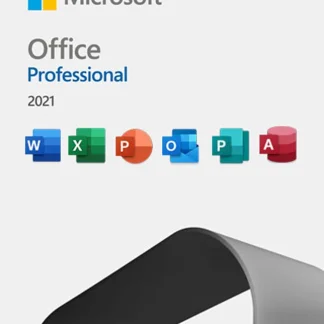
- Classic Office apps included: Word, Excel, PowerPoint, Outlook, Publisher, and Access (Windows).
- One-time license model: Pay once and keep using it on the licensed device.
- Improved performance: Faster responsiveness and better stability in daily tasks.
- Modern visuals & tools: Cleaner interface and enhanced features across apps.
- Better collaboration support: Easier sharing and improved commenting tools.
What’s New in Microsoft Office 2021, Professional
This release adds smoother inking and drawing tools, better content creation options in PowerPoint, and more capable data features in Excel like improved formulas and ways to present insights. Overall, Microsoft Office 2021 Professional focuses on polishing the experience: quicker workflows, more comfortable reading and editing, and stronger productivity tools across the suite.
Supported Editions
- Office Home & Student 2021
- Office Home & Business 2021
- Office Professional 2021 / Microsoft Office 2021 Professional
- Office LTSC (Enterprise volume licensing)
How to Download (Official)
- Go to Microsoft’s official setup page (use the link provided after purchase).
- Sign in with your Microsoft account (or create one).
- Enter your product key when prompted.
- Choose your installer and download.
Installation Steps
- Download the Office installer from Microsoft.
- Run the setup file and allow permissions if asked.
- Follow on-screen prompts to complete installation.
- Open any Office app (Word, Excel, etc.).
- Sign in or enter the key to activate Microsoft Office 2021, Professional.
System Requirements
Minimum System Requirements
- OS: Windows 10/11 (for Pro features like Access/Publisher)
- CPU: 1.6 GHz, 2-core
- RAM: 4 GB (64-bit) / 2 GB (32-bit)
- Storage: 4 GB available
- Display: 1280 × 768
Recommended System Requirements
- OS: Windows 11 / latest Windows 10 updates
- CPU: 2.0+ GHz, 4-core
- RAM: 8 GB+
- Storage: SSD with 10 GB free
- Display: 1920 × 1080+
Compatibility & Hardware Support
Microsoft Office 2021 Professional runs best on modern Windows PCs and laptops, including most major brands (Dell, HP, Lenovo, ASUS, Acer, Microsoft Surface). It supports common printers, cloud storage workflows, and typical office peripherals for smooth daily productivity.
How to Buy
To get the best current price, visit cdkeydeals.com and check available deals for Microsoft Office 2021 Professional.
Payment Methods
Pay easily using PayPal, all major credit/debit cards, Google Pay, Amazon Pay, Alipay, Afterpay, Klarna, bank transfer, and cryptocurrency.
How to Get Delivery
After checkout, you’ll receive live delivery on the Thank You page and instant email delivery with your digital key and instructions.
Activation Process
Open an Office app → go to Account (or activation prompt) → choose Change Product Key (if needed) → enter your digital key → sign in to link it → activation completes.
Security & Updates
Office includes built-in security improvements and benefits from Microsoft updates (through supported update channels). Keeping Windows updated also helps ensure Microsoft Office 2021 Professional stays stable and protected.
Frequently Asked Questions
- Is this a subscription?
No, it’s a one-time purchase license for Office 2021. - Which apps are included?
Word, Excel, PowerPoint, Outlook, Publisher, and Access (Windows). - Can I install it on Mac?
Office Professional is primarily for Windows (Access/Publisher are Windows-only). - How fast is delivery?
Typically instant via the Thank You page and email. - Do I need a Microsoft account?
Yes, it’s recommended for activation and re-download access. - Can I reinstall after formatting my PC?
Usually yes; sign in and follow Microsoft’s re-download steps. - Does it work offline?
Yes, core apps work offline after installation and activation. - Is it compatible with Microsoft 365 files?
Yes, it opens and saves common Office formats. - Will I get feature updates like Microsoft 365?
You’ll get security and stability updates; major new features are typically for Microsoft 365. - What if activation fails?
Double-check the key, internet connection, and Microsoft account; contact the seller support if needed.